Showing posts with label Browser. Show all posts

Wednesday, November 29, 2017

TeamViewer 12 Download Gratis Untuk Windows

TeamViewer adalah perangkat lunak yang dapat digunakan secara gratis untuk pribadi / penggunaan non-komersial. TeamViewer dapat digunakan untuk mengakses PC dari jarak jauh melalui jaringan yang menghubungkan seperti Internet. Ada 3 jenis TeamViewer adalah yang tersedia adalah versi Installer, portabel versi dan versi web dasar. Kunjungi : anisuniri.wordpress.com

Cara Menggunakan Teamviewer

Sebelum dapat menggunakan Teamviewer syaratnya adalah ke-2 PC yang akan dihubungkan harus memiliki software Teamviewer dengan versi sama.
Berikut ini sekilas penjelasan tentang cara pakai teamviewer.
  • Jalankan Teamviewer di ke-2 PC, tunggu muncul ID dan password
  • Hubungkan ke internet jika anda ingin meremote melalui internet.
  • Pilih jenis koneksi yang akan ada lakukan (remote support, presentation atau file transfer)
  • Masukan ID & Password komputer yang akan di remote.kemudian klik “Connect to partner“.
Berikut ini adalah versi terbaru dari Teamviewer yang bisa Anda download secara gratis.

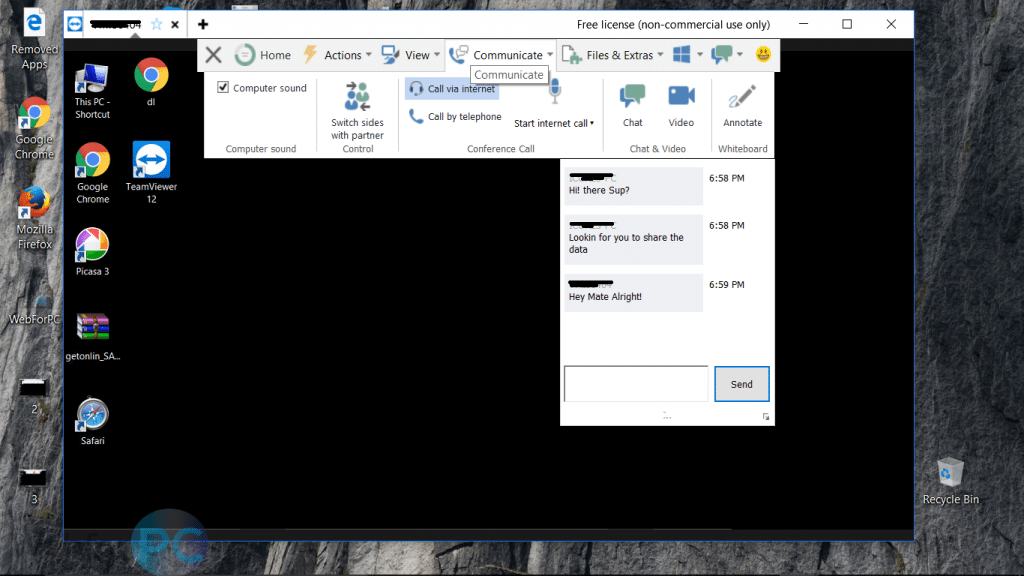
Screenshot :

TeamViewer 12: Salient Product Features:
  • Swift, easy to use, yet simple.
  • More strongly established remote sessions.
  • Scripts for mouse and key press automation.
  • Top-Notch optimizations.
  • Mobile to Mobile remote sessions.
  • Quicker way to transfer files, even up to 200 Mbps per second.
  • Improved compressions.
  • OneDrive integrations.
  • Sticky notes.
  • Device connection logs.
TeamViewer 12: Important Product Details:
  • Product’s Nomenclature: TeamViewer 12.
  • Version Info: v12.0.71503.
  • Genre: Remote Control Application.
  • Updated Here On: 8th of December 2016.
  • Compatibility: 32 Bit, 64 Bit Systems.
  • Offered For: Windows, Mac, Android.
  • Developer’s: TeamViewer.Com.
  • Setup Size: 13.7 MB.
  • License: Free (Non-Commercial)
  • System Requirement: Windows 7, Windows 8, Windows 10, RAM 2 Ghz, 25 MB Disk Space and a reasonable internet connection speed.


Link Download :


Tuesday, November 28, 2017

Internet Download Manager Gratis Download (6.29) Setup

IDM (Internet Download Manager) adalah untuk mengunduh file seperti lagu, dokumen, film, atau berbagai jenis file digital lainnya. Perangkat buatan New York, Amerika ini menempati posisi teratas dalam memaksimalkan kecepatan mengunduh data.

Kelebihan dari IDM adalah karena selalu rutin mengupdate versinya agar selalu kompatible dengan browser seperti Google Chrome, Firefox, Safari, Opera, dan lain-lain yang selalu dinamis dan menghadirkan update terbaru.

IDM didukung dengan fitur meneruskan kembali, yaitu untuk mengunduh ulang berkas-berkas yang sebelumnya terputus karena masalah teknis maupun nonteknis. source : www.fungsiklopedia.com

Screenshot :


Fitur Aplikasi Internet Download Manager
  • Mempercepat proses pengunduhan hingga 5 kali.
  • Mampu menyimpan catatan download yang terputus , dan melanjutkannya kembali ketika tersambung jaringan.
  • Proses pengunduhan secara otomatis atau terjadwal saat tersambung jaringan.
  • Pemecahan file dengan ukurang yang terlalu besar saat akan diunduh.
  • Kompatibel terhadap berbagai mesin pencarian populer seperti Firefox, Google Crome, Safari, Opera, Internet Explorer, dan lain-lain.
  • Bekerja dengan baik pada beragam jenis jaringan.
  • Dapat berjalan pada sistem operasi Windows 8.1 (untuk seri terbaru 6.21)
  • Bebas iklan, spyware, atau berbagai jenis program berbahaya lainnya.
IDM 6.29: Product’s Salient Features:
  • It provides the user MPEG and MP3 content processing
  • It can work with up to 32 simultaneous connections per single download.
  • The software is straightforward to use.
  • You can recover any data you have lost due to an error because there is error recovery feature in IDM.
  • If your internets gets disconnected while using IDM, broken downloads would be fixed.
  • Cookies, redirects, authorizations, and firewalls are all supported by IDM.
  • User downloads the files directly from the browser in use, rather than magnets and extensions.
  • With IDM, downloads can be scheduled as per priority.
  • User’s information is safe with the help of protocols in IDM, HRRP, and FTP.
  • IDM allows the user to pause what they are downloading and resume later in case they have to shut down the system or short on the battery.
  • There is inbuilt antivirus to make sure that your downloads are free of Trojans and other malware.
  • It works on any browser. It is compatible with Mozilla Firefox, Netscape, Internet Explorer, Avant Browser Opera Mini, Epic Browser, Chrome AOL, MSN Explorer, and all the other famous browsers.
  • You will have an exceptional video quality because IDM provides full HD video support.
  • Interestingly, you can also set the speed limit.
  • All kind of bugs can be fixed in the latest version of IDM 6.2
   Technical Details 
 . Nomenclature: IDM.
 . Genre: Download Manager.
 . Updated On: 28th Of November, 2017.
 . Official Page: IDM.Com.
 . Version: 6.29Build 2.
 . Compatibility: 32 & 64 Bit.
 . Operating System:  Windows 10/8/7.
 . License: Freeware.
 . Setup Size: 6.86 MB.


Link Download :


UltraSurf 16.03 Latest Setup Download Gratis

Ultrasurf merupakan suatu perangkat lunak yang bersifat freeware yang memungkinkan penguna untuk mengunjungi situs-situs web yang diblokir. Software ini juga dapat melindungi kegiatan berinternet pengunanya, hal ini dimungkinkan karena ultrasurf menerapkan enkripsi yang tinggi sehingga pengguna dapat berinternet dengan bebas dan aman.

Pada prinsipnya Ultrasurf merupakan sebuah aplikasi yang menyediakan multiple web proxy yang sangat cocok untuk digunakan ketika melakukan browsing di internet. Dengan menggunakan aplikasi ini alamat IP yang digunakan pada saat browsing akan digantikan oleh alamat IP yang memang sudah diseting pada ultrasurf. Prinsip kerja dari Ultrasurf hampir menyerupai prinsip kerja tunnel. Berikut ini adalah kelebihan dan kekurangan ultrasurf. Baca lebih lanjut...!

Screenshot :

UltraSurf 16.03: Product’s Salient Features:
  • Portable program, since there is no need for installation.
  • A comprehensive way to hide your IP address.
  • End-to-End Encryption based on industry based standards.
  • Secure communication and privacy security from being seen by outsiders.
  • Freedom to bypass online censorship.
  • Access blocked websites with almost same connection speed like your ISP.
  • Automated way to clear browsers history and cookies on terminating the session.
  • Users dependability from 180 countries.
  • An alternative for your conventional VPN service.
  • Speedy servers ensuring stable proxy speed.
  • Simple in usage, yet powerful encryption.
  • Some special features for IE.
UltraSurf 16.03: Important Product Details:
  • Product’s Nomenclature: UltraSurf.
  • Genre: Proxy/VPN Service Provider.
  • Updated Here On: 22nd of July, 2017.
  • Version: v16.03.
  • Uploaded To: IP-Changer.
  • Setup Type: Executable File.
  • Developer’s: UltraSurf.Us.
  • License: Freeware.
  • File Name: u.zip.
  • Compatibility: Android & Windows 7/8/10/Vista.
  • File Size: 2.4 MB.
  • Languages: Multiple.


Link Download :